





華為視頻會議TE60可以同時連接三個攝像機:HD-VI接口可同時連接兩個HUAWEI VPC600或者VPC620高清攝像機,DVI-I接口用于連接主攝像機,輸入主視頻圖像。
HD-VI接口標配HUAWEI VPC600/VPC620,連接后,無需其他線纜即可實現對HUAWEI VPC600/VPC620的PTZ控制和供電。
DVI-I接口連接攝像機后,必須將VISCA控制信號線纜連接至終端的COM接口,才能進行攝像機PTZ控制。
登錄TE60 Web界面,選擇“系統配置 > 輸入輸出”,單擊“視頻輸入”頁簽,正確選擇所連接的攝像機的類型,和正確選擇與攝像機控制接口相連的串口后,才能控制攝像機。
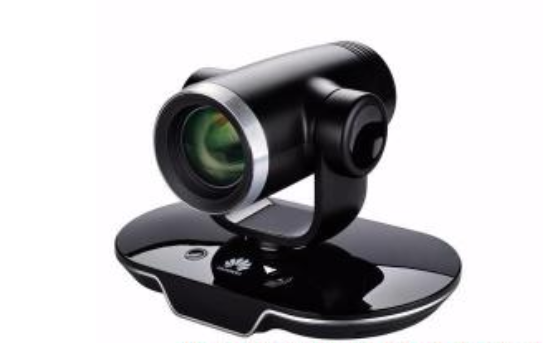
The TE60 can connect to three cameras at the same time. The HD-VI port can be connected to two HUAWEI VPC600 or VPC620 HD cameras at the same time. The DVI-I port can be connected to the center camera for video input.
The HD-VI port is connected to the HUAWEI VPC600/VPC620. After the connection, the HD-VI port can be used to control the PTZ and supply power to the HUAWEI VPC600/VPC620.
After connecting a camera to the DVI-I port, connect the VISCA control signal cable to the COM port on the endpoint.
Log in to the TE60 web interface, choose System Settings > Input/Output, and click the Video Input tab. Select the type of the camera to be connected and the serial port connected to the camera control port.